
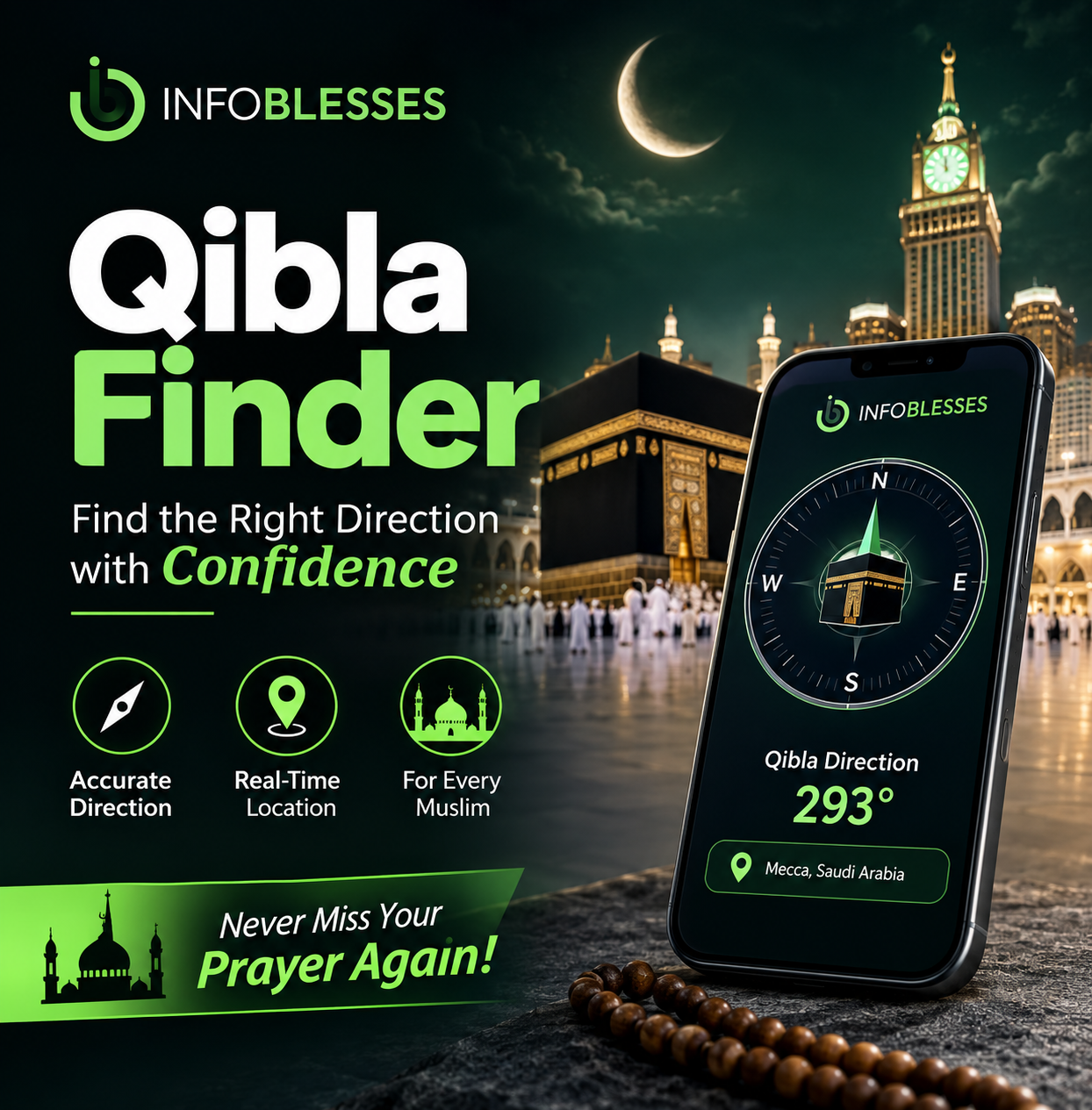
Introduction: Why Finding the Qibla Matters
For Muslims, facing the Qibla is an essential part of preparing for Salah (prayer). The Qibla is the direction of the Holy Kaaba, located inside Masjid al-Haram in Makkah, Saudi Arabia. Muslims around the world turn towards this sacred destination when performing their daily prayers.
However, finding the correct direction isn’t always easy. You might be travelling, staying in an unfamiliar hotel, visiting another country, or praying in a location without a nearby mosque. In these situations, a reliable Qibla Finder can make the process much easier.
Modern technology has changed how people determine prayer directions. Instead of relying entirely on traditional compasses or asking someone for guidance, you can use a smartphone, GPS, an online map, or a dedicated direction-finding application.
The best part? Most modern tools are simple to operate and don’t require advanced technical knowledge.
In this guide, you’ll discover seven practical methods, understand the technology behind digital direction tools, and learn how to check your results before beginning Salah.
1. What Is a Qibla Finder and Why Is It Important?
A Qibla Finder is a digital or traditional navigation tool that helps Muslims identify the direction of the Kaaba from their current geographical location.
It provides directional information by comparing the user’s location with the geographical coordinates of the Kaaba. Depending on the tool, the result may appear as a compass needle, a directional arrow, a degree measurement, or a line on a digital map.
The purpose is straightforward: make it easier to determine which direction to face during prayer, regardless of where you are.
1.1 Understanding the Meaning of Qibla
The Arabic word Qibla refers to the direction Muslims face during Salah.
The Kaaba is situated in the Grand Mosque in Makkah, Saudi Arabia. It holds a central place in Islamic worship and represents a common direction for Muslims worldwide.
Whether someone is praying in Asia, Europe, Africa, Australia, or the Americas, the destination remains the same. However, the geographical direction changes according to the person’s location.
For example:
-
A Muslim in Pakistan must face a different compass bearing from someone praying in the United Kingdom.
-
Someone in Australia will have another directional bearing.
-
A person in North America may find that the shortest geographical route points in a direction that seems surprising on a flat map.
This is why knowing your location is important when calculating the correct prayer direction.
1.2 Why Accurate Qibla Direction Matters
Prayer is an important act of worship in Islam. Preparing to face the Qibla helps Muslims establish a consistent direction for their daily prayers.
Finding the direction can become challenging in unfamiliar surroundings. Consider these common situations:
Travelling: Airports, railway stations, hotels, and rest areas may not have clearly marked prayer spaces.
Moving to a new home: A family may need to establish the appropriate prayer direction before arranging a permanent prayer area.
Outdoor activities: Campers, hikers, and people visiting remote locations may not have access to a nearby mosque.
Working abroad: Employees and students living in another country may need a convenient way to identify the prayer direction.
Visiting unfamiliar buildings: Shopping centres, hospitals, offices, and universities may have different layouts and no visible Qibla markings.
A dependable Qibla Finder provides a practical starting point in these circumstances. Nevertheless, digital tools should be used thoughtfully. Location errors, magnetic interference, and poor calibration can affect the displayed direction.
1.3 How Does a Digital Qibla Finder Work?
Modern direction-finding tools combine geographical information with smartphone technology.
Most systems use two important pieces of information:
-
Your current geographical position.
-
The geographical position of the Kaaba.
Google’s official documentation identifies the Kaaba’s coordinates as approximately 21.4224779° north latitude and 39.8251832° east longitude. It explains that its service uses your current location, supplied through GPS or manual entry, to determine the great-circle route towards the Kaaba.
Google Help
Here’s how the process generally works.
Step 1: Location identification
Your smartphone or browser determines your geographical position using GPS or another supported location method.
Step 2: Geographical calculation
The software compares your coordinates with the Kaaba’s coordinates and calculates the initial direction along the shortest route over the Earth’s surface.
Step 3: Direction display
The calculated result appears as a directional arrow, compass indicator, numerical bearing, or map line.
Step 4: Device orientation
If the application uses your phone’s compass, its sensors help determine which way the device is pointing.
Step 5: User confirmation
You position yourself according to the displayed direction and check that the reading is stable.
1.4 Understanding GPS, Compass, and Great-Circle Calculations
These technologies perform different jobs, and understanding their differences can help you avoid confusion.
| Technology | Main purpose |
|---|---|
| GPS | Identifies your geographical position |
| Digital compass | Estimates the direction your phone faces |
| Geographical coordinates | Identify your position and the Kaaba’s position |
| Great-circle calculation | Determines the shortest route over Earth’s surface |
| Digital map | Displays the calculated direction visually |
| Camera and augmented reality | Overlays directional information on the camera view |
One important detail is that GPS and a compass aren’t interchangeable.
GPS can identify where you are, but it doesn’t automatically tell your phone which way its top edge is pointing when you’re standing still. A digital compass uses magnetic sensors to estimate orientation.
Therefore, a website might calculate the correct geographical direction while your phone displays an inaccurate heading because its compass isn’t properly calibrated.
1.5 True North Versus Magnetic North
This is one of the most important concepts when using a traditional or digital compass.
True north refers to the direction of the geographic North Pole.
Magnetic north refers to the direction indicated by the Earth’s local magnetic field.
The difference between these directions is called magnetic declination. It varies depending on geographical location and changes over time.
According to the US National Centers for Environmental Information (NOAA), magnetic declination is necessary when converting a magnetic compass reading into a true bearing.
ncei.noaa.gov
This matters because Qibla calculations are generally expressed relative to true north, while an uncorrected magnetic compass may display magnetic bearings.
A good application accounts for this difference automatically. However, when using a traditional compass, you may need to check the local magnetic declination.
1.6 Who Can Benefit from a Qibla Finder?
Almost anyone who needs to identify the prayer direction can benefit from these tools.
They are particularly useful for:
-
Muslims travelling internationally.
-
Students living in hostels or university accommodation.
-
Families moving into new houses.
-
Business professionals working away from home.
-
Hikers and outdoor enthusiasts.
-
People visiting hospitals or unfamiliar public buildings.
-
Muslims living in areas without nearby mosques.
In short, a digital direction tool offers convenience wherever traditional guidance isn’t immediately available.
2. Seven Reliable Ways to Find the Qibla Anywhere
There isn’t just one way to identify the prayer direction. Different methods offer different advantages, depending on your device, surroundings, internet connection, and available equipment.
A modern Qibla Finder is often the easiest option, but having alternative methods is useful. After all, phones run out of battery, internet connections disappear, and electronic compasses occasionally produce confusing readings.
Here are seven practical methods worth knowing.
2.1 Method One: Use an Online Qibla Finder
An online direction-finding website is one of the quickest ways to identify the Qibla.
You don’t necessarily need to install an application. Open a supported website in your browser, allow location access if required, and follow the displayed direction.
One established example is Google’s Qibla Finder.
How to use it:
-
Open Google Qibla Finder.
-
Allow the website to access your location.
-
Follow the instructions displayed on your screen.
-
Calibrate your phone’s compass if requested.
-
Check the directional line or indicator.
-
Position yourself according to the displayed result.
Google introduced its browser-based augmented-reality Qibla tool to show the direction towards the Kaaba through a smartphone camera.
blog.google
Advantages:
-
No separate application installation is necessary.
-
It offers a convenient browser-based experience.
-
It uses geographical location information.
-
It can provide a visual directional guide.
Potential limitation: The live compass experience depends on supported device sensors and browser permissions.
2.2 Method Two: Install a Dedicated Smartphone Application
A dedicated mobile application can be useful if you frequently need prayer-direction information.
Many Islamic applications combine Qibla direction with other features, such as prayer schedules, Islamic calendars, and location-based reminders.
When selecting an application, look for the following:
-
Clear directional indicators.
-
Reliable location detection.
-
A visible compass calibration option.
-
Transparent permission requirements.
-
Regular maintenance and updates.
-
Positive, credible user feedback.
Don’t choose an application based on attractive graphics alone. A simple interface with dependable calculations is more useful than a complicated design that displays confusing information.
Some applications also provide offline functionality. However, check exactly which features work without internet access because GPS positioning and compass functionality may still depend on your device.
2.3 Method Three: Use Your Smartphone’s Digital Compass
Most modern smartphones include sensors that support digital compass functionality.
A compass application can show the direction your device is facing, often using degrees and cardinal directions.
However, a standard compass doesn’t automatically know the Qibla direction. You’ll need a calculated bearing for your current location.
For example, if a trusted direction calculator provides a Qibla bearing of 250°, you can use a properly configured compass to align your device with that true bearing.
Remember that the example is illustrative. Your actual bearing depends on your location.
Best practice: Keep your phone away from magnets, metal objects, speakers, and electronic equipment while taking a reading.
2.4 Method Four: Use GPS-Based Direction Services
GPS-based services are especially useful when you’re travelling.
They determine your geographical location and use it to calculate the direction towards the Kaaba.
Unlike a traditional compass, GPS-based calculation doesn’t require you to know your local geographical coordinates manually.
Some tools can even work with manually entered coordinates if location permissions aren’t available.
This method is particularly helpful when:
-
You’re visiting another country.
-
You’re staying in an unfamiliar hotel.
-
Your location changes frequently.
-
You need to calculate the direction before reaching a destination.
One limitation is worth remembering: GPS positioning alone doesn’t provide a reliable stationary heading. A direction-finding service may combine GPS with compass sensors to display a live arrow.
2.5 Method Five: Use Google Maps as a Visual Reference
Google Maps can help you understand the geographical relationship between your location and Makkah.
You can search for the Kaaba, identify your current location, and examine the map.
This is useful for visual confirmation, particularly when you want to understand the surrounding geography.
However, there’s an important distinction: drawing a straight line on a flat map doesn’t always show the correct initial direction along the Earth’s curved surface.
For accurate direction-finding, use a great-circle calculation rather than relying exclusively on the appearance of a straight line on a standard map.
2.6 Method Six: Use a Traditional Magnetic Compass
A traditional compass remains a valuable backup.
It doesn’t require a smartphone battery, mobile application, or internet connection.
To use it effectively:
-
Place the compass on a level surface.
-
Allow the magnetic needle to settle.
-
Identify the north direction.
-
Obtain the Qibla bearing for your location.
-
Account for magnetic declination if the bearing is expressed relative to true north.
-
Rotate the compass or your position until the desired bearing is aligned.
A traditional compass can be particularly useful during outdoor activities or emergencies.
Nevertheless, don’t forget that magnetic interference can affect its reading. Avoid taking measurements beside vehicles, metal structures, or strong electrical equipment.
2.7 Method Seven: Ask a Local Mosque or Islamic Community
Sometimes the simplest solution is to ask someone who already knows the correct direction.
Local mosques generally have an established prayer orientation. Their prayer halls, carpets, wall markings, and Mihrab can provide helpful references.
You can also ask:
-
A mosque administrator.
-
An Imam.
-
A knowledgeable local Muslim.
-
A community member familiar with the area’s prayer arrangements.
This approach is especially helpful when you’re establishing a permanent prayer space.
A local reference can also help you compare a digital reading with an established prayer direction.
Comparison of the Seven Methods
| Method | Internet required? | Best use |
|---|---|---|
| Online Qibla tool | Usually | Quick direction checks |
| Smartphone app | Depends on features | Regular use |
| Digital compass | No, for basic compass use | Checking a calculated bearing |
| GPS-based service | Depends on service | Travelling |
| Google Maps | Usually | Geographical reference |
| Traditional compass | No | Backup navigation |
| Local mosque | No | Independent guidance |
The right choice depends on your situation. For everyday convenience, an online tool is a good starting point. For reliability, compare its result with another independent method when something doesn’t look right.
3. How to Use a Qibla Finder Correctly: A Step-by-Step Guide
Using a direction-finding tool is usually straightforward. However, following the correct process can make a meaningful difference to the quality of the result.
A Qibla Finder doesn’t eliminate every possible source of error. Its accuracy depends on the location information, calculation method, compass sensor, and surrounding environment.
The following steps will help you use these tools more confidently.
3.1 Step One: Enable Your Location Services
Start by enabling location services on your smartphone.
Your device needs to identify your current position before a location-based direction calculator can determine the appropriate bearing.
On most smartphones, you can find location permissions in the device’s settings.
You may also receive a permission request when opening an online tool.
Choose an appropriate location permission, such as allowing access while using the website or application.
If you prefer not to share your live location, some calculators allow manual entry of geographical coordinates.
Helpful tip: Check that your device is identifying your current location rather than an old or approximate position.
3.2 Step Two: Open a Trusted Direction-Finding Tool
Choose a recognised online service or a reputable mobile application.
For a browser-based option, visit:
Check that the website loads correctly and that its directional indicator is available.
If the application offers several calculation or compass settings, review them before proceeding.
Avoid downloading unknown applications from suspicious websites. Stick to trusted application stores and established services.
3.3 Step Three: Calibrate Your Smartphone Compass
Compass calibration is one of the most important steps.
Smartphones use magnetic sensors to estimate orientation. These sensors can sometimes become less reliable because of nearby magnetic objects or inaccurate calibration.
A common calibration technique is to move the phone gently in a figure-eight pattern.
Try the following:
-
Move away from metal furniture and large electronic devices.
-
Remove magnetic phone accessories if practical.
-
Hold the device comfortably.
-
Move it through a figure-eight pattern several times.
-
Recheck the compass reading.
Some phones provide their own calibration instructions, so follow the manufacturer’s guidance when available.
Google also recommends calibrating the device compass to improve the Qibla Finder’s directional accuracy.
Google Help
3.4 Step Four: Understand the Numerical Bearing
Many direction tools display a bearing in degrees.
A compass generally uses the following reference points:
| Direction | Bearing |
|---|---|
| North | 0° or 360° |
| East | 90° |
| South | 180° |
| West | 270° |
Other bearings fall between these major directions.
For example:
-
45° indicates northeast.
-
135° indicates southeast.
-
225° indicates southwest.
-
315° indicates northwest.
These are general compass references, not universal Qibla bearings.
Your actual prayer direction depends on your geographical location.
When an application provides a numerical Qibla bearing, make sure you understand whether it uses true north or magnetic north. Confusing the two can result in an incorrect compass alignment.
3.5 Step Five: Position Your Phone Properly
Hold your phone in a stable, comfortable position.
If the tool uses an augmented-reality display, follow its instructions for pointing the camera.
If it uses a compass, make sure the phone is oriented consistently and that you aren’t accidentally rotating it while reading the result.
Some applications work better when the phone is held flat. Others use the camera and device orientation sensors.
Follow the instructions provided by the specific application.
Don’t assume that every directional arrow works in exactly the same way.
3.6 Step Six: Check the Result More Than Once
A single compass reading isn’t always enough.
For greater confidence, repeat the measurement after moving away from possible sources of interference.
You can also compare the result with another independent calculator.
For example:
-
Check an online direction calculator.
-
Compare the displayed bearing with a second reputable service.
-
Consult a traditional compass where appropriate.
-
Ask a local mosque for an established direction.
If two tools disagree significantly, investigate the reason instead of automatically choosing one.
The difference might come from inaccurate location information, compass calibration, magnetic declination, or different calculation settings.
3.7 Step Seven: Save the Direction for Future Use
Once you’ve established a reliable direction, you may want to make a note of it.
This is especially useful if you’re staying in the same hotel for several days or arranging a permanent prayer area at home.
You can:
-
Record the numerical bearing.
-
Save a screenshot of the result.
-
Mark the direction on a simple room diagram.
-
Use a removable marker to indicate the direction.
-
Confirm permanent markings with a knowledgeable local authority.
Remember that a saved bearing is useful only for the location where it was calculated. If you move to another city or country, calculate the direction again.
3.8 Common Mistakes to Avoid When Using a Qibla Finder
Even a reliable tool can produce confusing results when used incorrectly.
Here are some common problems and their solutions.
| Common mistake | Recommended solution |
|---|---|
| Location services are disabled | Enable location permissions |
| Compass isn’t calibrated | Follow the device calibration instructions |
| Phone is near a magnet | Move to an interference-free area |
| Incorrect location is detected | Refresh GPS or enter coordinates manually |
| Magnetic and true north are confused | Check the bearing reference |
| Reading changes repeatedly | Hold the device steadily |
| One application gives a different result | Compare with an independent calculator |
| User relies only on a flat map | Use a great-circle bearing calculation |
3.9 What Should You Do If the Compass Doesn’t Work?
Don’t panic if your phone’s compass behaves unexpectedly.
First, close unnecessary applications and restart the direction tool.
Then:
-
Check whether your device supports the required compass sensors.
-
Confirm that location permissions are enabled.
-
Calibrate the compass again.
-
Move away from metal objects and magnetic accessories.
-
Try a different direction-finding service.
-
Use a traditional compass or consult a local mosque if necessary.
If the device continues showing unstable readings, don’t treat its directional arrow as definitive.
A geographical calculator can still provide the bearing if you know your coordinates, even when the phone’s compass sensor isn’t functioning properly.
The main lesson is simple: use technology as a helpful guide, verify unexpected results, and don’t confuse a calculated direction with an unreliable sensor reading.
4. How Qibla Direction Changes Around the World
One interesting fact about the Qibla is that Muslims living in different parts of the world don’t all face the same compass direction.
The Kaaba remains in the same geographical location, but the direction from which you approach it changes according to your position on Earth.
4.1 Why the Direction Is Different in Every Country
The Earth is approximately spherical. Therefore, calculating the shortest route between two distant geographical points requires considering its curvature.
A Qibla Finder uses your geographical coordinates to calculate the initial direction towards Makkah.
For example:
-
Muslims in parts of Asia generally face a westerly direction.
-
Muslims in parts of Europe may face southeast.
-
Muslims in North America may face northeast.
-
Muslims in parts of southern Africa may face north or northeast.
These are broad geographical examples, not fixed directions for entire continents. The precise bearing depends on the particular city.
4.2 Why a Straight Line on a Map Can Be Misleading
Most ordinary maps display the curved surface of the Earth on a flat screen.
This process can distort distances, angles, and directions.
A route that looks straight on a flat map might not represent the shortest route over the Earth’s surface.
That’s why modern direction calculators use great-circle calculations.
Google explains this principle in its official documentation, noting that the route can appear bent when displayed on a flat map because of the Earth’s curvature.
Google Help
4.3 Finding the Direction When Travelling
Travelling creates situations where a reliable Qibla Finder becomes particularly valuable.
If you’re visiting another country, don’t automatically use the direction you followed at home.
Instead:
-
Open a location-based direction tool.
-
Allow it to identify your new position.
-
Check the calculated bearing.
-
Calibrate the compass.
-
Compare the result if necessary.
This simple routine helps prevent confusion when moving between different geographical regions.
5. Major Benefits of Using a Digital Qibla Finder
Digital direction-finding tools have become popular because they make an everyday religious requirement easier to manage.
Here are some of their most useful advantages.
5.1 Convenience and Accessibility
You don’t need specialist navigation equipment to identify the prayer direction.
A smartphone and a suitable online service are often enough.
A browser-based Qibla Finder also removes the need to install another application.
5.2 Useful for International Travellers
Travelling can make it difficult to identify familiar landmarks and prayer spaces.
Digital tools provide a convenient way to check the direction in hotels, airports, holiday apartments, and unfamiliar buildings.
5.3 Simple for Beginners
You don’t need to understand complicated geographical calculations.
Most tools display an arrow or compass indicator that makes the result easy to understand.
5.4 Helpful for Establishing Prayer Spaces
Families and individuals can use a direction calculator when arranging a permanent prayer area.
For a mosque or other permanent prayer facility, however, the proposed orientation should be independently checked by qualified people before construction or permanent markings are completed.
5.5 Reduced Dependence on Traditional Equipment
A smartphone can combine geographical calculations, maps, and directional sensors in one device.
This is particularly useful when you don’t have a traditional compass available.
5.6 Greater Independence
A reliable Qibla Finder allows individuals to identify the direction without always needing to ask someone else.
It can be especially helpful for people living in countries where Muslim communities are relatively small.
5.7 Easy Verification
Many online tools provide numerical bearings alongside visual indicators.
You can compare results from independent services, check your device’s compass, and investigate differences before relying on a reading.
The important thing is to choose dependable tools and understand their limitations.
6. Frequently Asked Questions (FAQs)
Here are answers to eight common questions about finding the Qibla.
FAQ 1: What Is the Most Accurate Qibla Finder?
The most suitable Qibla Finder is one that uses accurate geographical coordinates, a reliable great-circle calculation, and properly calibrated device sensors.
Google’s Qibla Finder is one established browser-based option.
For additional confidence, compare its result with another reputable calculator or an independently established local prayer direction.
FAQ 2: Can I Find the Qibla Without the Internet?
Yes. You can use a traditional compass together with a previously calculated Qibla bearing.
Some mobile applications also support offline direction calculations, depending on their features.
However, GPS positioning, downloaded map information, and compass functionality may have different offline requirements.
FAQ 3: Does a Qibla Finder Work in Every Country?
Generally, yes. A geographical direction calculator can determine the direction towards the Kaaba from locations around the world.
However, the live compass feature depends on your device’s supported sensors, location accuracy, and software permissions.
FAQ 4: Why Does My Phone Show Different Qibla Directions?
Different readings may result from inaccurate location information, magnetic interference, compass calibration problems, or differences between true and magnetic north.
Some services may also use different calculation settings.
Try recalibrating your device and comparing the numerical bearing with an independent direction calculator.
FAQ 5: Is Google Qibla Finder Free?
Google provides its Qibla Finder as a browser-based tool. You can visit the official website to access its available features.
Device and browser compatibility may affect the experience.
FAQ 6: Can I Use a Qibla Finder on My Laptop?
Yes. Some browser-based services support computers, especially when you can provide your location manually.
However, laptops generally don’t offer the same convenient compass and augmented-reality experience as smartphones.
A manually entered location can still be used to calculate the geographical bearing.
FAQ 7: Do I Need to Calibrate My Phone Before Finding the Qibla?
If the tool uses your smartphone’s digital compass, calibration is recommended.
It can help improve the reliability of the directional reading.
Move away from magnetic objects and follow the calibration instructions provided by your device or application.
FAQ 8: Can I Trust a Digital Qibla Finder Completely?
A reputable direction calculator can provide a useful and mathematically grounded result.
However, the displayed compass direction can still be affected by inaccurate sensors, location errors, or environmental interference.
Use a reliable tool, verify unexpected readings, and consult a knowledgeable local Islamic authority when you need guidance about a permanent prayer arrangement or a religious question.
7. Conclusion:
Finding the Qibla doesn’t have to be difficult, even when you’re travelling or living in an unfamiliar place.
Modern technology has made direction-finding more accessible through GPS, digital compasses, online maps, and smartphone applications.
A dependable Qibla Finder can help you identify the direction towards the Holy Kaaba using your current geographical location.
The seven methods explained in this guide provide practical solutions for different circumstances. Whether you prefer an online calculator, a dedicated application, a traditional compass, or guidance from a local mosque, the important thing is to establish a reliable direction.
Remember these essential tips:
-
Use accurate location information.
-
Choose a reputable direction calculator.
-
Calibrate your smartphone compass.
-
Understand the difference between true north and magnetic north.
-
Compare readings when something seems incorrect.
-
Seek knowledgeable local guidance when necessary.
With the right approach, you can identify the Qibla more conveniently and prepare for Salah with greater confidence, wherever life takes you.

Welcome to Info Blesses I am Rana Ahtasham an AI Powered SEO and Content Writer With 3 year experience.I help websites rank highter, grow traffic, and look amazing. My goal is to make SEO and web design simple and effective for everyone.Lets achieve more togather!